Registration
How To Register On Tashan Win: Complete Step-By-Step Guide
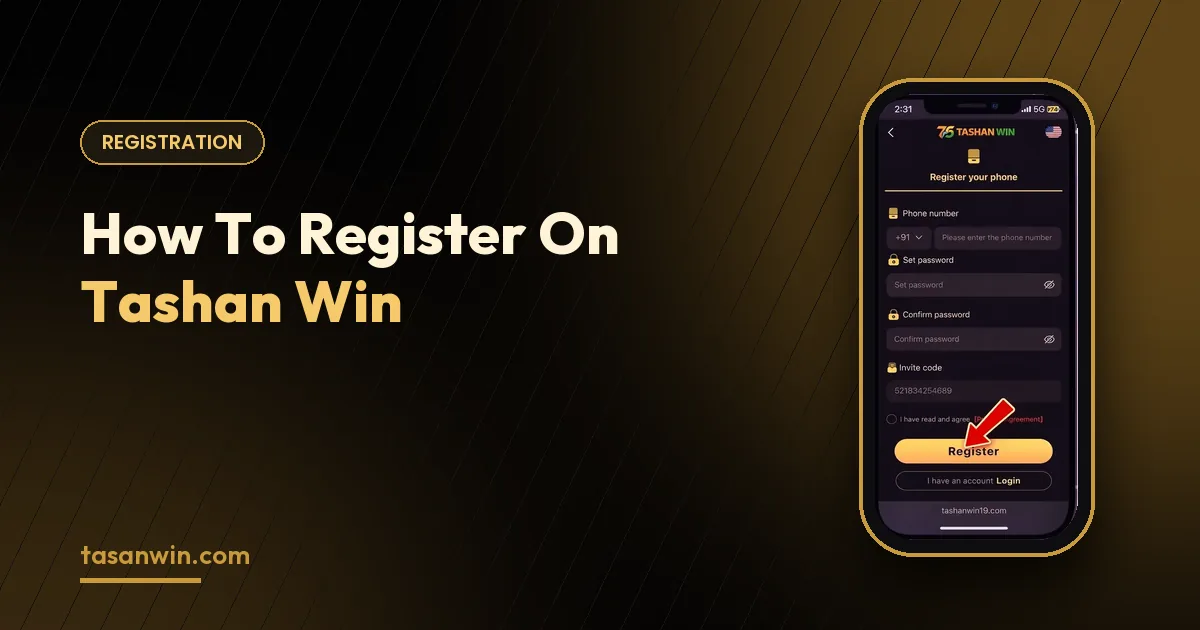
Registering on Tashan Win takes less than a minute, but doing it properly the first time saves you from login headaches, missed bonuses and locked wallets later. This guide covers everything — from what you need before you start to the smartest first steps after your account is ready.
What you need
- An Indian mobile number that can receive SMS — it becomes your login ID.
- A browser or the Tashan Win Android app.
- A strong password you do not use anywhere else.
- An invite code if a friend referred you (optional).
Registration, step by step
STEP 01
Open the sign-up page
Tap Register on tasanwin.com so you reach the genuine page with the invite code already applied.
STEP 02
Add your number
Enter your ten-digit mobile number with the +91 code selected.
STEP 03
Set your password
Type it twice. Use letters, numbers and a symbol for a stronger account.
STEP 04
Agree and register
Confirm you are 18+, accept the terms and tap Register.
Why the invite code matters
The invite code links your account to the friend who referred you, so they earn referral rewards, and registering through an official link makes sure new-player offers are applied. If you don’t have a code, leave the field empty — your account is exactly the same otherwise.
Your first deposit
Open the wallet, choose a payment channel such as UPI or Paytm and enter an amount you are comfortable with. The welcome offer — up to 288% on a first deposit depending on the amount — is shown before you confirm. Always read the bonus terms and set yourself a budget before you deposit.
Mistakes to avoid
Registering a second account on another number to grab another bonus usually ends with both accounts being restricted. Using a number you might change soon is another common mistake, because it is the only way to recover your password.
Finally, never register through a link that asks for your OTP on a separate page or in a chat — the real sign-up only asks for the OTP inside the official screen.
After registration
Bookmark the login page, download the Android app if you play on your phone, follow the official Telegram channel for gift codes and explore the games at your own pace. Treat your first sessions as practice: learn the rules of one game before moving on to the next.
How long does registration take?
Usually under a minute, as long as the SMS code arrives quickly.
Is there any registration fee?
No. Creating an account is free.
Can I change my phone number later?
Contact support from your registered number if you need to update it.
Choosing a strong password
A good password is at least ten characters long and mixes upper-case letters, lower-case letters, numbers and a symbol. Avoid your name, date of birth or mobile number. If remembering it is hard, use your phone’s built-in password manager — it is far safer than writing it in a notes app or sharing it in a chat.
Registering on behalf of someone else
Each account should belong to the person who plays on it. Creating an account for a family member, or letting someone else use yours, makes recovery and withdrawals difficult because the registered mobile number has to match the account owner. Keep one account, one number and one player.
Keep Reading